Postman Collection
Postman is one of the platforms to test the REST API. IDSL provides a Postman Collection that can be used to test the IDSL API in Postman.
How to Use
Below is a step-by-step guide on how to use the postman collection that IDSL already provides.
- If you don't have Postman, download it here.
- Click the Run in Postman button to import the collection.
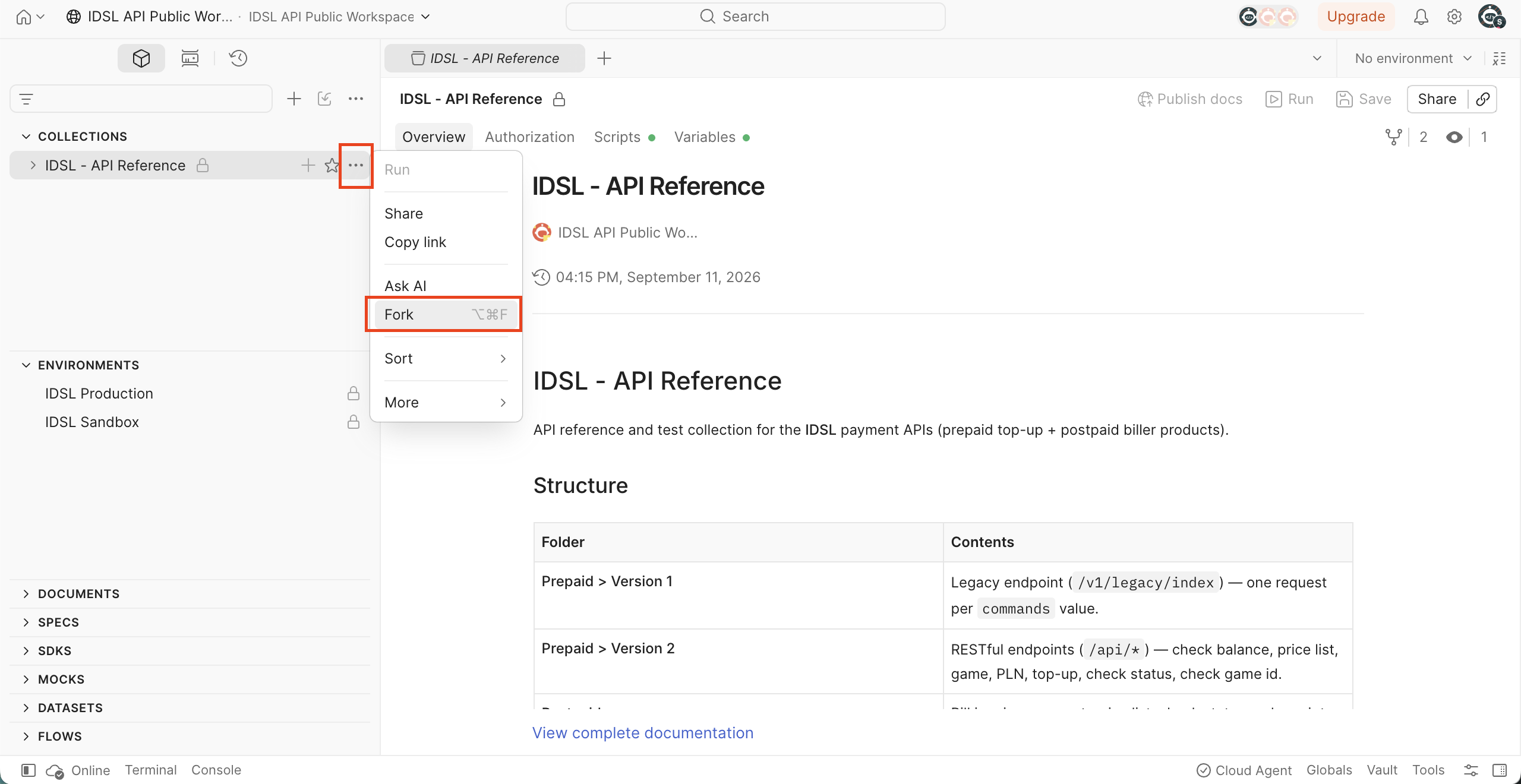
The collection opens in a public workspace, where it is read-only until you copy it. Fork it into your
own workspace so you can send requests: open the collection's ⋯ menu → Fork (or click Fork
Collection when Postman offers it).
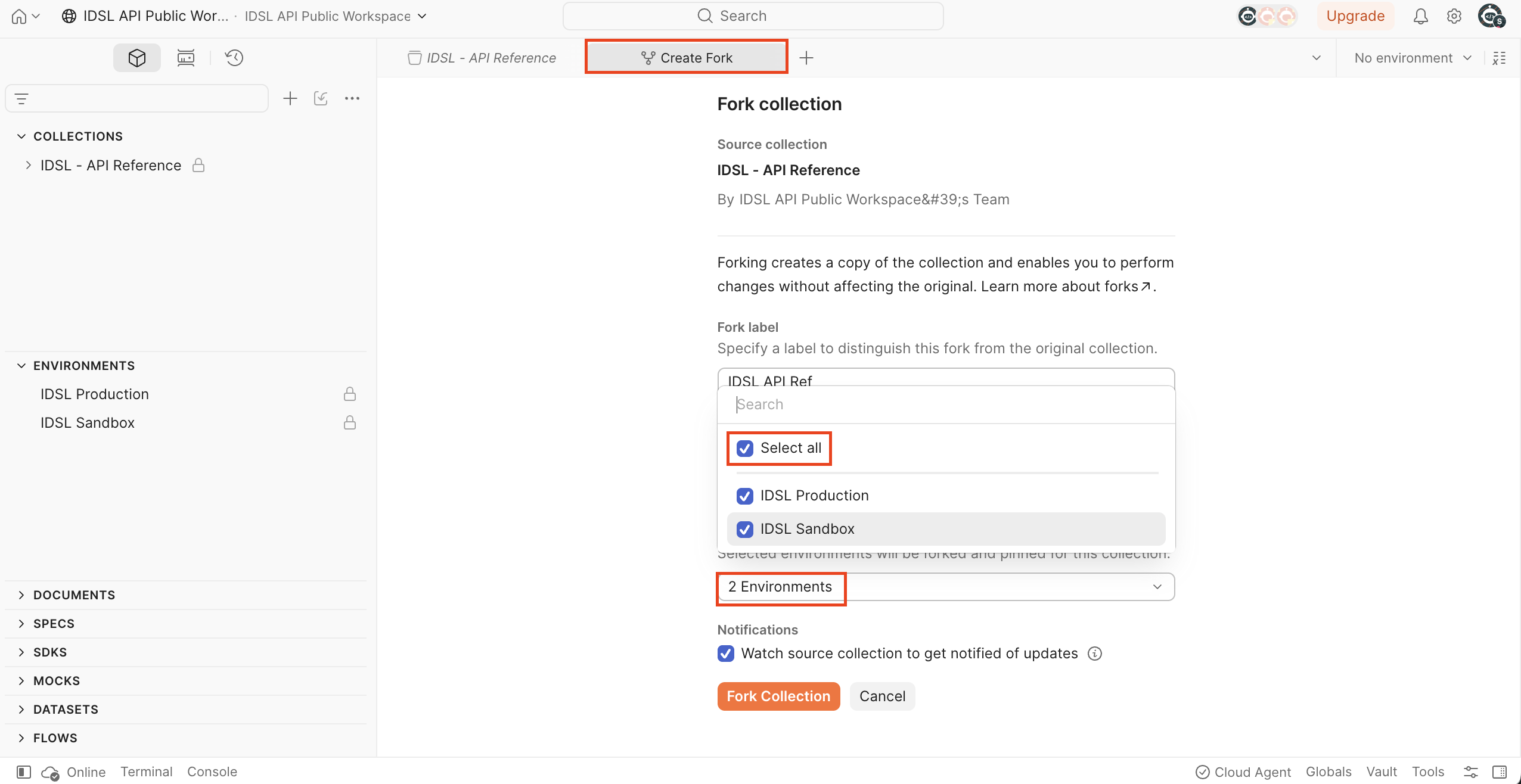
In the fork dialog, give the fork a label and select the environments to include. The forked
environments carry the base URLs, so nothing has to be created by hand afterwards.
- Select the environment that matches where you want to send requests — IDSL Sandbox or IDSL
Production — from the environment dropdown at the top-right of Postman. They appear with your fork's
label, for example
IDSL Sandbox [IDSL API Ref].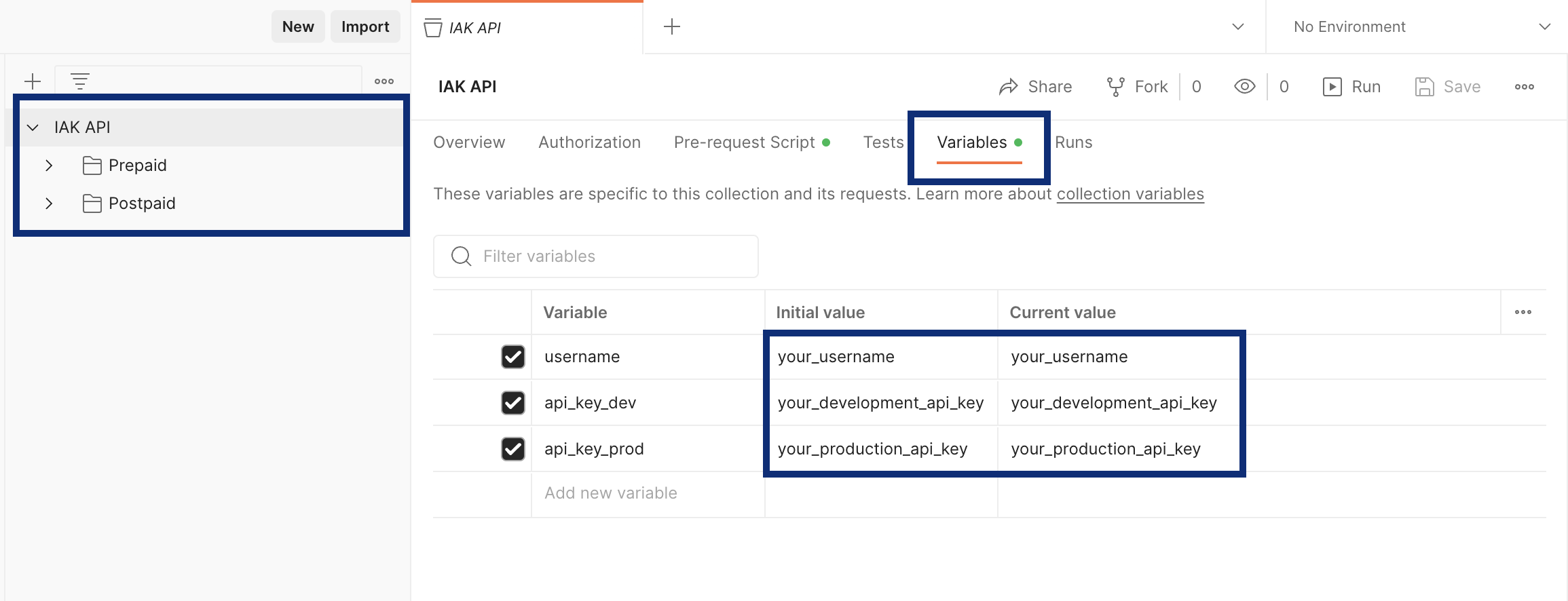
The sidebar shows the collection as IDSL - API Reference, split into Prepaid (Version 1 and Version 2) and Postpaid. Requests are environment-agnostic: the host comes from the environment you picked, so there is no separate Development/Production folder.
If no environment is selected,{{prepaid_base_url}}and the other variables stay unresolved and Postman highlights them in red — pick an environment before sending anything. - Open the environment you selected (Environments → IDSL Sandbox) and fill in your credentials, then Save:
- username: Your registered phone number on IDSL
- api_key: Your API key for that environment
Everything you fill in lives in the environment: the base URLs and your credentials are environment variables, and the collection has no variables of its own exceptsign, which the collection script calculates for you. You only ever fill inusernameandapi_key.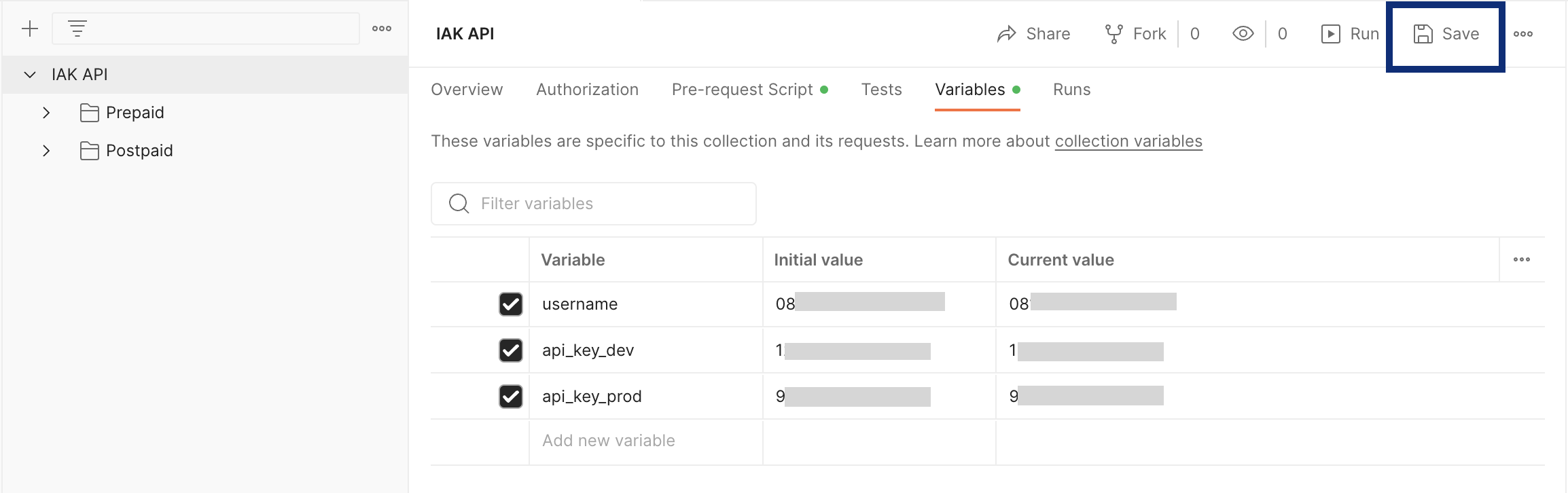
- Start with IDSL - API Reference > 00 - Start here > Check readiness and click Send. It is
the cheapest authenticated call in the API, so a
rc: "00"answer proves that your environment, your credentials and the computed signature are all correct — and it is the first thing to fix when something else fails. Every request carries tests that name the cause in the response pane (empty credentials, a key taken from the other environment, a missing field, a method the endpoint does not accept). - Then try the Check Balance API:
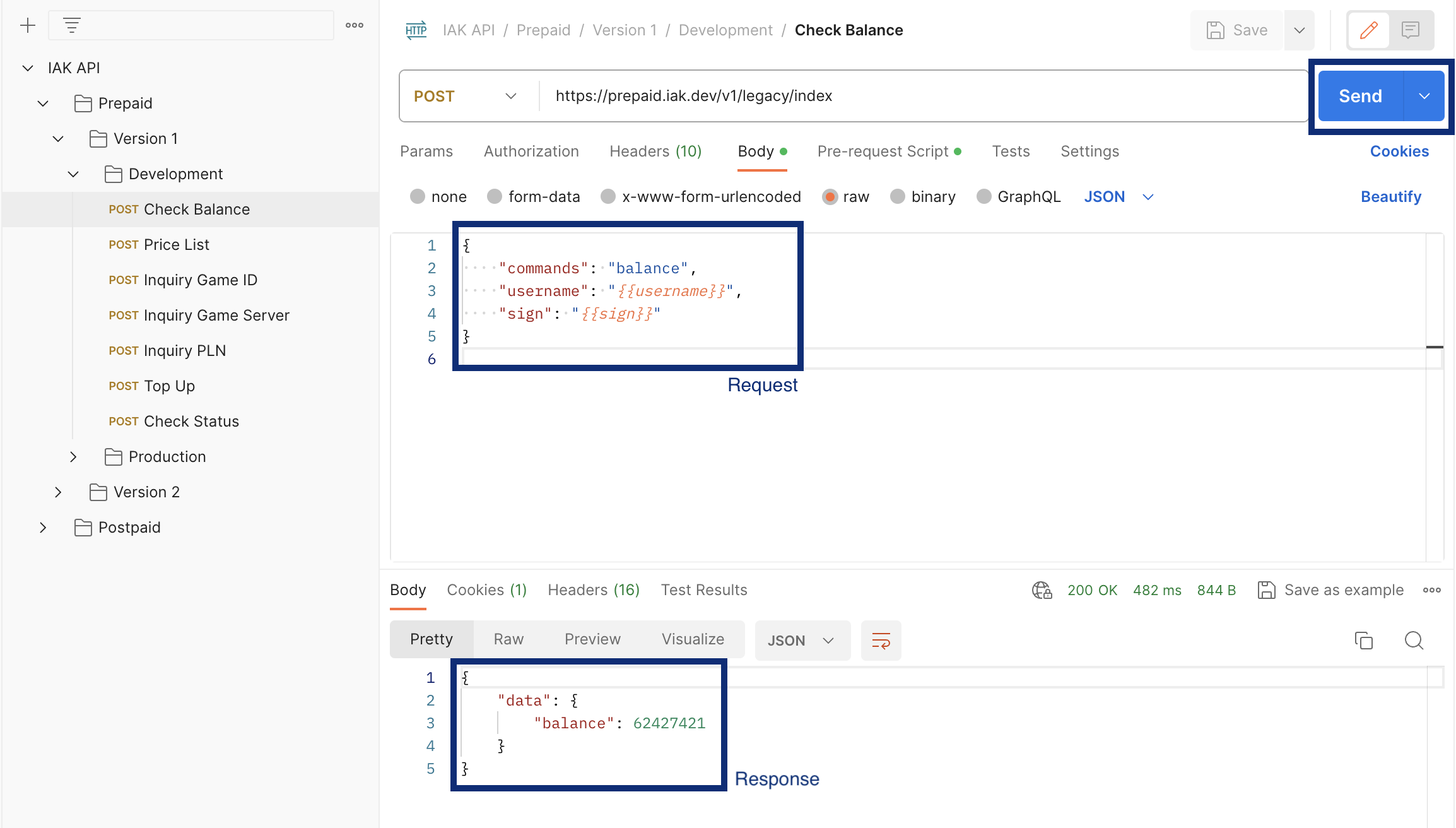
- Go to the IDSL - API Reference > Prepaid > Version 2 > Check Balance.
- Click the Send button in the upper-right corner.
- The server response is displayed below the request.
Signature is calculated for you
Production Environment
- Explore the other APIs in the collection — Prepaid (Version 1 and Version 2) and Postpaid.
OpenAPI Specification
IDSL also publishes an OpenAPI 3.1 description of the API. You can use it to explore the API in any OpenAPI-compatible tool, generate a client SDK, or import into Postman.
- OpenAPI document: https://api.irongatedigital.com/openapi.json
- Import into Postman: File → Import → Link and paste the URL above.
- Tools like Swagger Editor and Stoplight can render the same document.