User Management
When you register for IDSL Account, then it will be your main account to IDSL Service. With main account, you can create a sub user for your team with limited access.
Adding Your Team
From the main account, you can add account for your team and define what access will be granted. To add account, do the following steps.
- Go to User Management in prt.irongatedigital.com.
- Input your main password following by new account password and new account password confirmation.
- Choose what access you want to grant from the list.
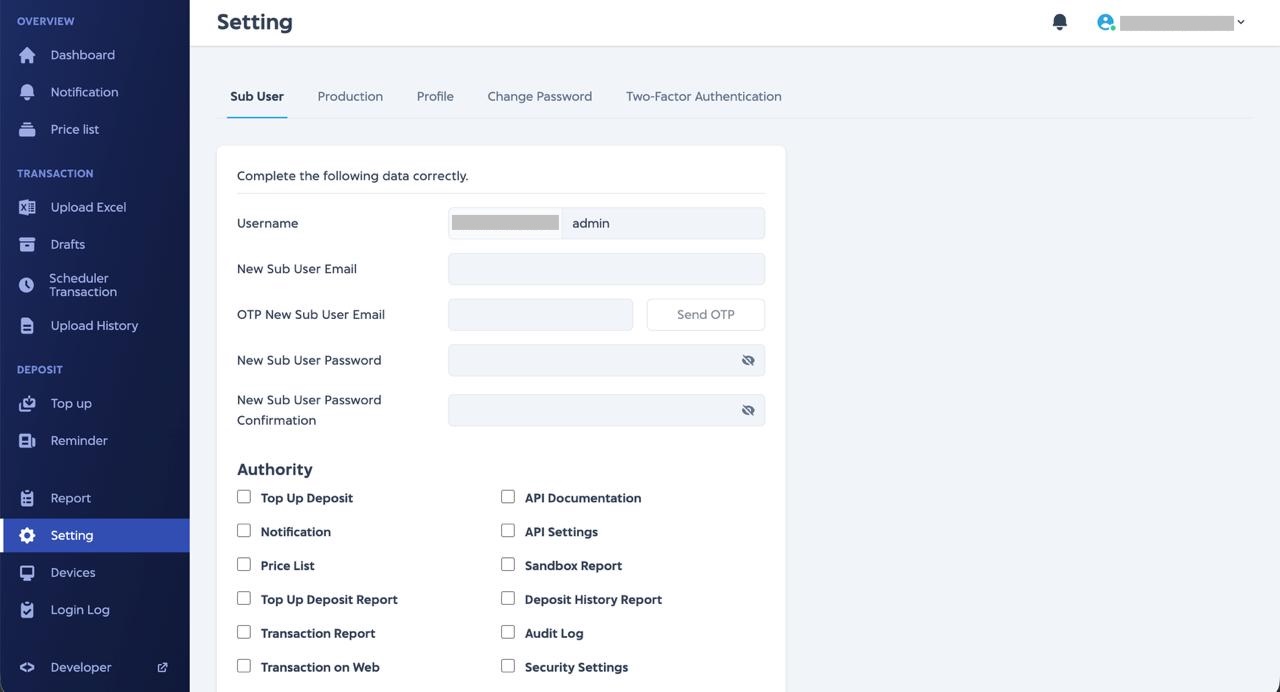
Authority List
Here is the authority list that you can grant to your team.
| Authority | Description |
|---|---|
| Top Up Deposit | Top up balance to IDSL account |
| Notification | See IDSL notification |
| Price List | View price list of IDSL products |
| API Setting | Manage API setting for sandbox and production environment |
| Transaction Report | View and download transaction report |
| Sandbox Report | Access report in sandbox environment |
| Custom Status Price List | Manage price list for IDSL products |
| Top Up Deposit Report | View and download top up report |
| Deposit History Report | View and download deposit movement report |
Table of Contents